
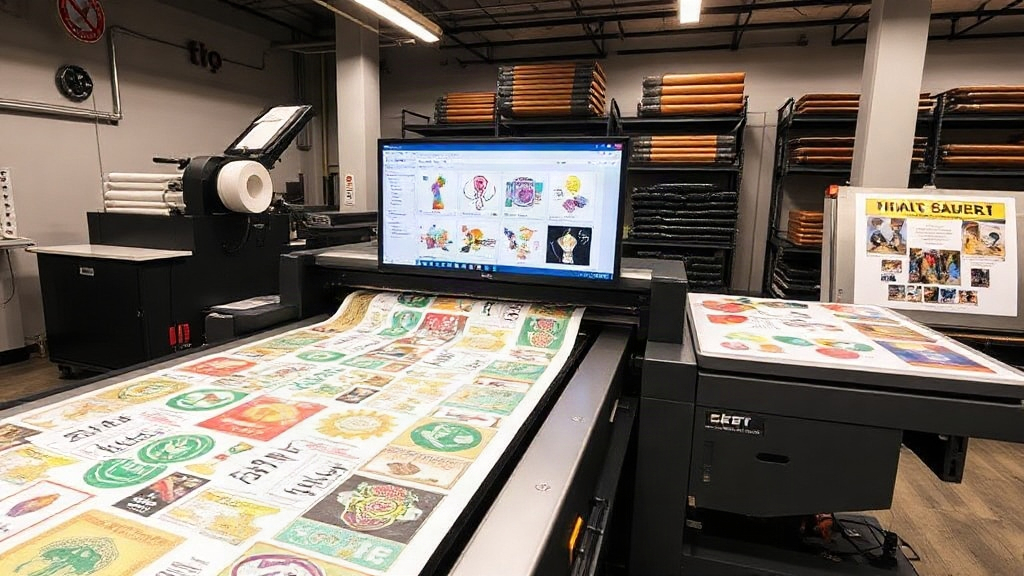
If you're in the custom apparel business, you've likely heard about DTF printing. It's revolutionizing the industry with its versatility and vibrant results. But to truly capitalize on DTF technology, you need to master the art of gangsheet building. A DTF gangsheet builder is your secret weapon for maximizing efficiency and minimizing waste. In this guide, we'll dive deep into what gangsheets are, why they matter, and how to use a DTF gangsheet builder to skyrocket your productivity and profits.
What is a DTF Gangsheet?
A gangsheet is a large sheet of transfer film that contains multiple designs arranged together. Instead of printing one design at a time, you 'gang' several designs onto a single sheet, then press them onto garments as needed. This approach saves time, reduces material waste, and cuts down on labor costs. With DTF printing, gangsheets are particularly advantageous because the transfers are durable, stretchable, and can be applied to a wide range of fabrics.
Why Gangsheets Matter for Your Business
Imagine you have a rush order for 50 t-shirts with different designs. Printing each design individually would take hours, not to mention the wasted film and ink. By using a gangsheet, you can print all 50 designs in one go, then simply cut and press them as needed. This not only speeds up production but also ensures consistent quality across all items. Plus, you save money on materials, which directly impacts your bottom line.
How a DTF Gangsheet Builder Works
A DTF gangsheet builder is a software tool that helps you arrange multiple designs on a single sheet efficiently. It optimizes the layout to minimize wasted space, calculates the required film size, and even estimates ink usage. Some advanced builders integrate with your printer and cutter for a seamless workflow. The goal is to pack as many designs as possible onto one sheet without compromising print quality.
Key Features to Look For
- Auto-nesting: Automatically arranges designs to use the least amount of film.
- Size calculation: Tells you the exact dimensions of your gangsheet.
- Cost estimator: Shows you the cost per transfer based on ink and film usage.
- Integration: Works with your existing printer and cutter for a smooth workflow.
- Template library: Saves common layouts for repeat orders.
Step-by-Step: Building a Gangsheet Like a Pro
Let's walk through the process of creating a gangsheet using a DTF gangsheet builder. Follow these steps to ensure you're getting the most out of your materials.
Step 1: Gather Your Designs
Start by collecting all the designs you need to print. Make sure they are high-resolution and sized appropriately for the garments they'll go on. If you're using a DTF gangsheet builder, you can import files in various formats, such as PNG, JPG, or PDF.
Step 2: Set Your Film Size
Decide on the width of your film roll. Common widths are 13", 17", and 24". The length will depend on how many designs you have. The builder will help you determine the optimal length to avoid excessive waste.
Step 3: Arrange Designs
This is where the magic happens. Using the builder's auto-nesting feature, let the software arrange your designs for maximum efficiency. You can also manually adjust the placement if needed. Remember to leave a small gap between designs for easy cutting.
Step 4: Print and Cure
Once your gangsheet is laid out, send it to your DTF printer. After printing, apply hot melt powder and cure the transfers according to your printer's specifications. Proper curing ensures the transfers are durable and wash-resistant.
Step 5: Cut and Press
Cut out each design using a cutter or scissors. Then, press them onto your garments with a heat press. And voila! You've just produced multiple custom items in a fraction of the time.
Maximizing Efficiency with Your DTF Gangsheet Builder
To get the most out of your DTF gangsheet builder, consider these expert tips:
- Batch similar orders: Group designs that use similar colors to reduce ink changes.
- Use templates: Save time by creating templates for common orders, like team jerseys or promotional shirts.
- Monitor ink usage: Keep an eye on ink levels and adjust your layout to minimize waste.
- Regular maintenance: Clean your printer and cutter regularly to avoid costly downtime.
- Stay updated: Software updates often include new features that can further optimize your workflow.
Common Mistakes to Avoid
Even with a powerful tool, mistakes can happen. Here are some pitfalls to watch out for:
- Overcrowding: Packing designs too tightly can lead to cutting errors and misprints.
- Ignoring film width: Always ensure your designs fit within the film width to avoid cropping.
- Forgetting bleed: Add a small bleed around each design to account for cutting tolerances.
- Skipping test prints: Always do a test print to check colors and alignment before a big run.
Frequently Asked Questions
What is the best DTF gangsheet builder for small businesses?
The best builder depends on your specific needs. Look for one that offers auto-nesting, cost estimation, and integration with your printer. Many popular options include DTF Pro Transfer's builder, which is designed for efficiency and ease of use.
How do I calculate the cost of a DTF gangsheet?
Cost is based on film, ink, and powder usage. A good DTF gangsheet builder will automatically calculate these costs for you, giving you a per-transfer price. This helps you price your products accurately.
Can I use a DTF gangsheet builder with any DTF printer?
Most builders are compatible with major DTF printer brands. However, check for specific integrations or drivers. Some builders are standalone, while others are part of a complete RIP software.
How often should I update my gangsheet builder software?
Regular updates ensure you have the latest features and bug fixes. Aim to update at least every few months, or when a new version is released.
What file formats work best for DTF gangsheets?
PNG with transparent backgrounds is ideal, as it preserves design edges. High-resolution PDFs also work well. Avoid low-resolution JPGs, as they can result in pixelated prints.
By incorporating a DTF gangsheet builder into your workflow, you'll streamline production, reduce costs, and deliver high-quality custom apparel faster than ever. Whether you're a small shop or a large operation, mastering gangsheet building is a game-changer. Start optimizing today and watch your profits soar.